

Download GoogSI Google Search Interface – Google search, desktop search, search tool, productivity tool, Windows utility
Overview
GoogSI Google Search Interface is a lightweight desktop application designed for users seeking a streamlined way to conduct Google searches directly from their Windows environment. Unlike traditional browser-based searches, this tool offers a compact, dedicated interface that eliminates the need to open a web browser, thereby enhancing workflow efficiency. The app is particularly useful for professionals, students, and researchers who frequently access information while working on documents, spreadsheets, or other desktop applications.
By integrating Google’s search functionality into the desktop, GoogSI reduces context-switching and helps maintain focus. Its primary purpose is to deliver fast, direct access to search results with minimal visual clutter. The application supports customizable preferences, allowing users to tailor the display of results and remove unwanted elements. This level of control enhances information retrieval and supports a more personalized search experience.
Although the developer did not provide additional technical details about the company or its background, the app’s longevity—first released in 2006—suggests a stable and functional design. Its continued availability indicates ongoing relevance for users who value simplicity and efficiency. GoogSI fills a niche in the productivity tool ecosystem by offering a dedicated, lightweight interface for Google searches, making it a valuable utility for those who prioritize speed and minimalism in their digital workflows.
Key Features & Functionality
- Compact Search Window: The application features a small, elegant interface that fits seamlessly into the desktop environment. Users can quickly enter search terms without distraction, making it ideal for rapid lookups during work sessions.
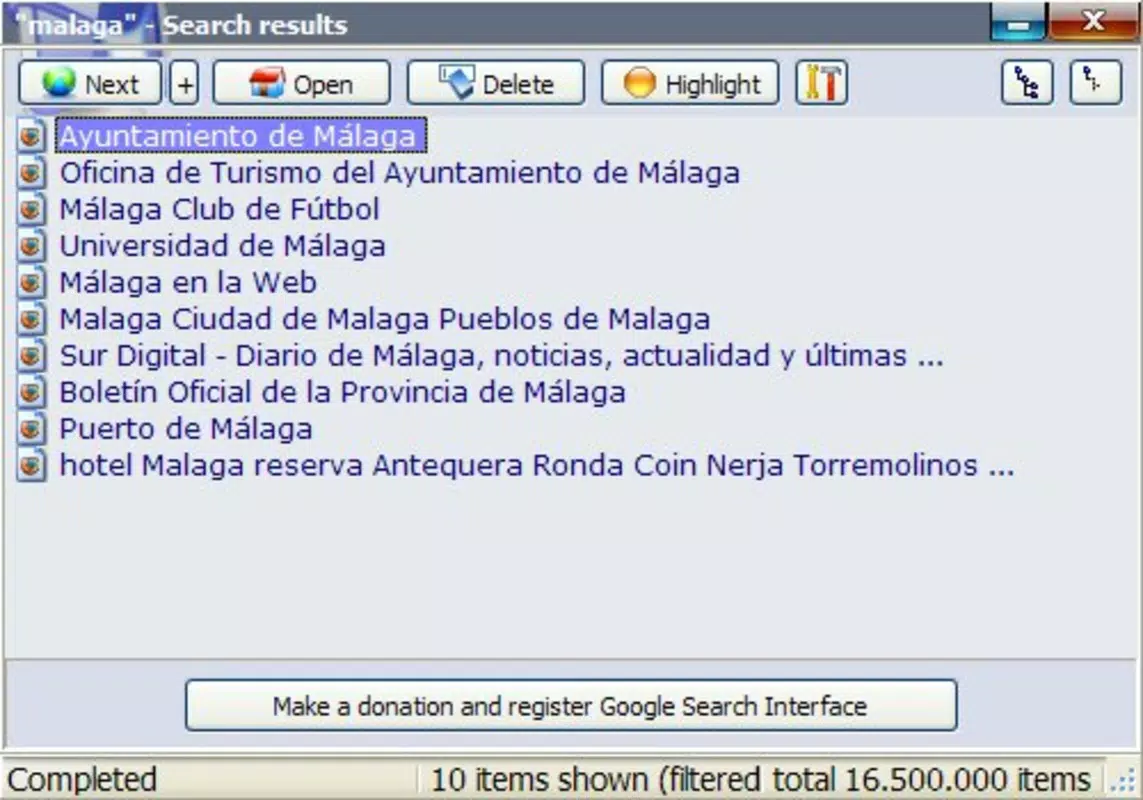
- Search Result Customization: Users can adjust the visibility and size of search results, allowing for a more focused view. This feature is beneficial when users need to prioritize specific results or avoid information overload.
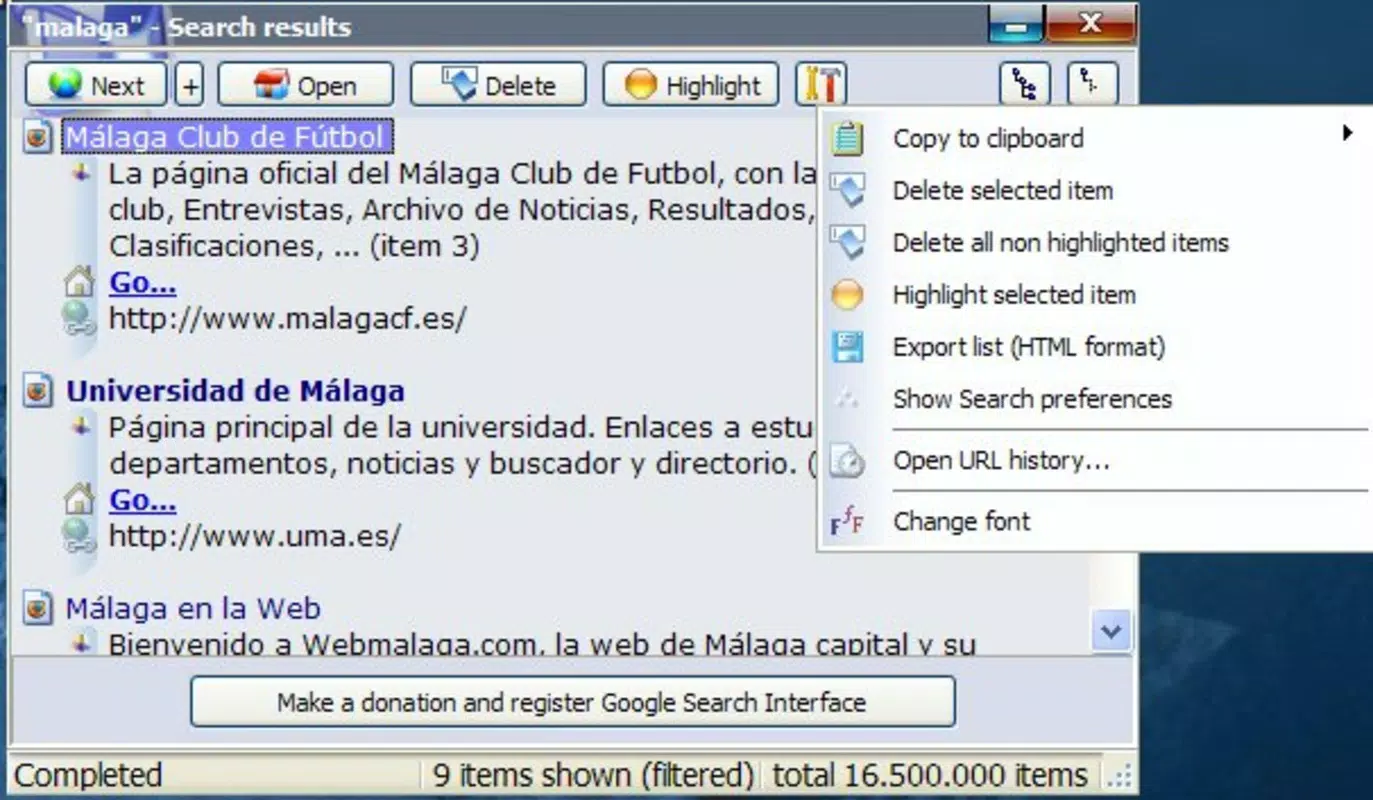
- Highlight and Export Functionality: The ability to highlight relevant websites and export results to HTML format supports efficient documentation, research archiving, and content sharing across teams or projects.
- Google Account Integration: To use the full range of features, including continuous search functionality, users must create a free Google account. This integration enables preference syncing and improved result relevancy across sessions.
- Preference Management: Users can modify search settings and filter out unwanted result elements, offering greater control over the search experience and improving information accuracy.
For example, a researcher compiling data for a report can use GoogSI to search for sources, highlight key websites, and export them to a structured HTML file for later reference. Similarly, a student writing a paper can quickly verify facts without leaving their word processor. These use cases demonstrate how GoogSI enhances productivity by minimizing workflow interruptions.
Interface, UX & Performance
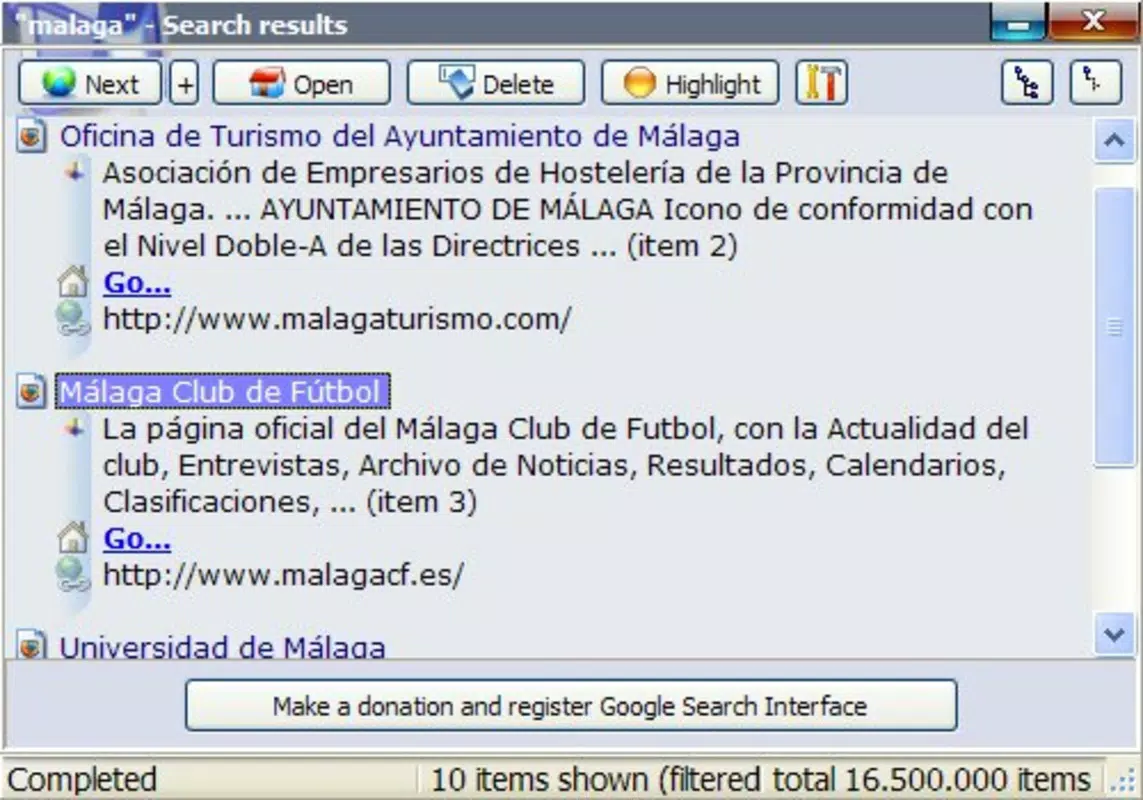
The user interface of GoogSI Google Search Interface is characterized by its minimalistic design and compact layout. The application occupies a small window on the desktop, ensuring it does not interfere with other open programs. Navigation is straightforward: users enter a query and receive results in a clean, text-based format that prioritizes readability and speed.
Visual style is intentionally plain, focusing on utility over aesthetics. This design choice aligns with the app’s purpose as a productivity tool rather than a visually rich application. The interface supports intuitive interaction, with a single input field and immediate result display, reducing the learning curve for new users.
Although the developer did not list formal performance metrics, the app’s small file size of 1.4 MB suggests efficient resource usage. It is expected to run smoothly on a wide range of Windows systems, including older or low-spec machines. Responsiveness is likely consistent, given the lightweight nature of the application and its direct integration with Google’s search engine.
Stability appears to be a strength, considering the app’s release date in 2006 and continued availability. While no recent updates have been documented, the core functionality remains intact, indicating a reliable and well-architected design.
Platform Compatibility & Technical Requirements
GoogSI Google Search Interface is designed for the Windows operating system. The application is available in version 1.0 and has a file size of 1.4 MB, making it a lightweight download suitable for systems with limited storage.
Specific requirements were not listed, including minimum OS version or hardware specifications. The developer did not specify compatibility details for modern Windows versions beyond the general platform. However, given its long-standing presence, it may still function on current Windows systems, though performance may vary depending on system configuration.
Compatibility with newer versions of Windows, such as Windows 11, has not been confirmed. Users should exercise caution when installing on updated systems, as legacy applications may encounter compatibility issues or security restrictions.
Pros and Cons
Pros
- Lightweight design with minimal system resource usage
- Direct Google search access without opening a browser
- Customizable search results for improved focus and relevance
- Ability to highlight and export results to HTML format
- Free to download and use
Cons
- No official updates since 2006; may not be compatible with modern Windows versions
- Requires a Google account for full functionality
- Interface lacks modern visual design elements
- Developer did not provide detailed technical specifications
- Limited support or documentation available
FAQ
Is GoogSI Google Search Interface safe to download?
The app is free and available from official sources. However, users should ensure downloads come from trusted platforms to avoid potential security risks, especially given the app’s age.
Can I use GoogSI without a Google account?
Basic search functionality may be available, but full features like continuous search and preference syncing require a free Google account.
Is GoogSI compatible with Windows 11?
Compatibility has not been officially confirmed. While it may run on Windows 11, performance and stability are not guaranteed due to the app’s outdated release date.
How do I export search results?
Users can highlight desired websites and export the results to HTML format for saving, sharing, or archiving.
Is the app regularly updated?
No recent updates have been released. The app has remained at version 1.0 since its initial release in 2006.
Final Thoughts
GoogSI Google Search Interface remains a unique tool in the productivity space, offering a dedicated desktop experience for Google searches. Its compact design, lightweight footprint, and ability to export results make it a practical choice for users who value efficiency and minimalism. While the lack of updates and modern features may limit its appeal to some, its core functionality continues to serve niche users who prefer a distraction-free search environment.
For researchers, students, and professionals who frequently need quick access to information without switching contexts, GoogSI delivers tangible value. Despite its age, the app demonstrates the enduring utility of simple, focused tools in a cluttered digital landscape.
Download GoogSI Google Search Interface now to experience a streamlined way to search Google directly from your Windows desktop.


